Bleed & Borders
To ensure a seamless online printing experience start with a brand-aligned template embedding fonts and graphics. But, also consider bleeds and borders in your design because while we always strive for perfection, cutting equipment has a tolerances of 1/8 inch. This tolerance is especially important for smaller pieces, to ensure the best print results. Here are some handy tips then for bleeds and borders.
 Begin with a 1/4" bleed* to prevent white edges
 Ensure borders ≥ 1/4" to prevent uneven edges
 Design for a 1/8" cutting tolerance
*1/4" bleed overall - 1/8" on each side
What is Bleed?
Bleed in printing extends designs beyond the trim size for edge-to-edge coverage. Designers add a 1/8 inch (3 mm) margin to each side of the document to prevent white edges. After printing, excess bleed is trimmed, resulting in a polished, full-color product.
Build bleed into your design
The bleed is an area that gets printed beyond the trim edge of the business card to avoid white lines when we trim it. If your business card contains a background color or graphics that extend to the edges, make sure to add a 1/8 inch bleed beyond the trim. For a more in depth look at understanding the bleed in printing, click here to watch a video.
 Bleed Area: 3.75” x 2.25”
Make sure your background extends to fill the bleed area (to avoid nasty white edges!)
 Trim: 3.5” x 2.0”
This is where we aim to cut your cards.
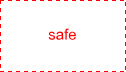 Safe Area: 3.34” x 1.84”
Make sure important aspects of your design (like text and logos) are inside the safe area.
Bleed & Borders
-
To ensure a seamless online printing experience start with a brand-aligned template embedding fonts and graphics. But, also consider **bleeds and borders** in your design because while we always strive for perfection, *cutting equipment has a tolerances of 1/8 inch*. This tolerance is especially important for smaller pieces, to ensure the best print results. Here are some handy tips then for bleeds and borders.
function link() { [native code] }